
📚 Advanced Final Grade Calculator
Weighted categories · Real-time average · "What-If" final exam simulator · Letter grade & GPA scale
Predict final grade after a future assessment
Final exams are approaching, and the pressure is real. One big question every student asks: “What score do I need on the final to get the grade I want?”
Stop guessing. The Final Grade Calculator is a powerful, easy-to-use tool that instantly tells you the exact score required on your final exam — even with multiple assignments, midterms, and quizzes having different weights.
Whether you’re aiming for an A, trying to pass, or maximizing your GPA, this advanced calculator removes stress and gives you clarity.
In this guide, we’ll cover everything: what the calculator does, how to use it, its benefits, pros and cons of grade planning, real examples, and smart tips to finish the semester strong.
How the Final Grade Calculator Works
The calculator uses weighted average math:
Current Contribution + (Final Score × Final Weight) = Desired Grade
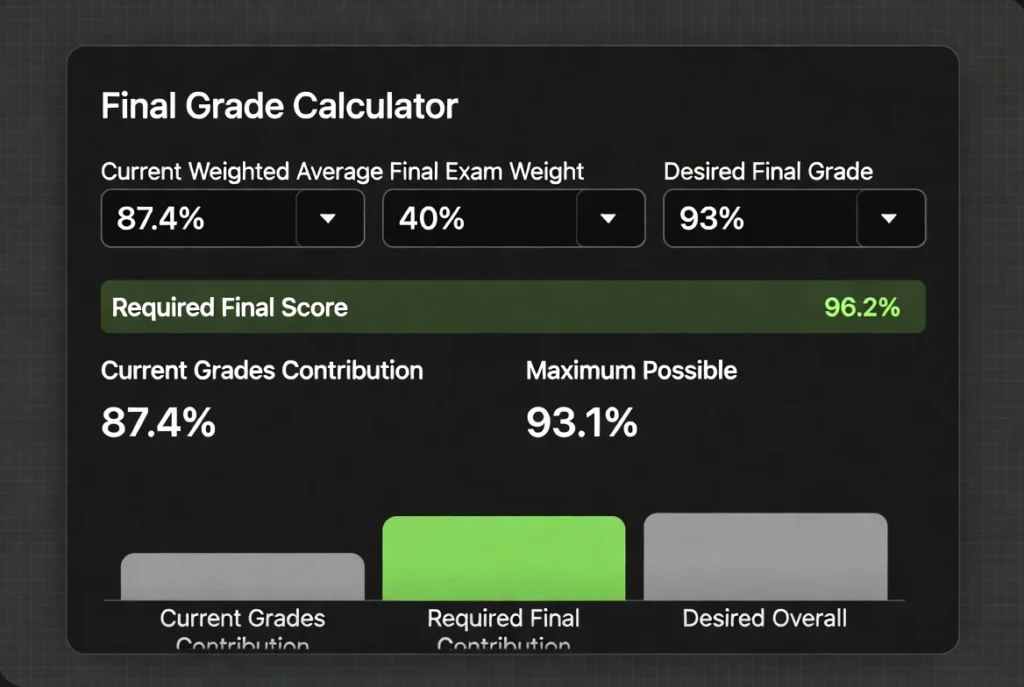
It handles any number of graded items with different weights and instantly computes the following:
- Your current weighted average
- Exact score needed on the final exam
- Maximum possible overall grade (if you score 100% on final)
- Visual bar chart breakdown
All calculations are done in real-time with no manual spreadsheets required.
How to Use the Final Grade Calculator: Step-by-Step
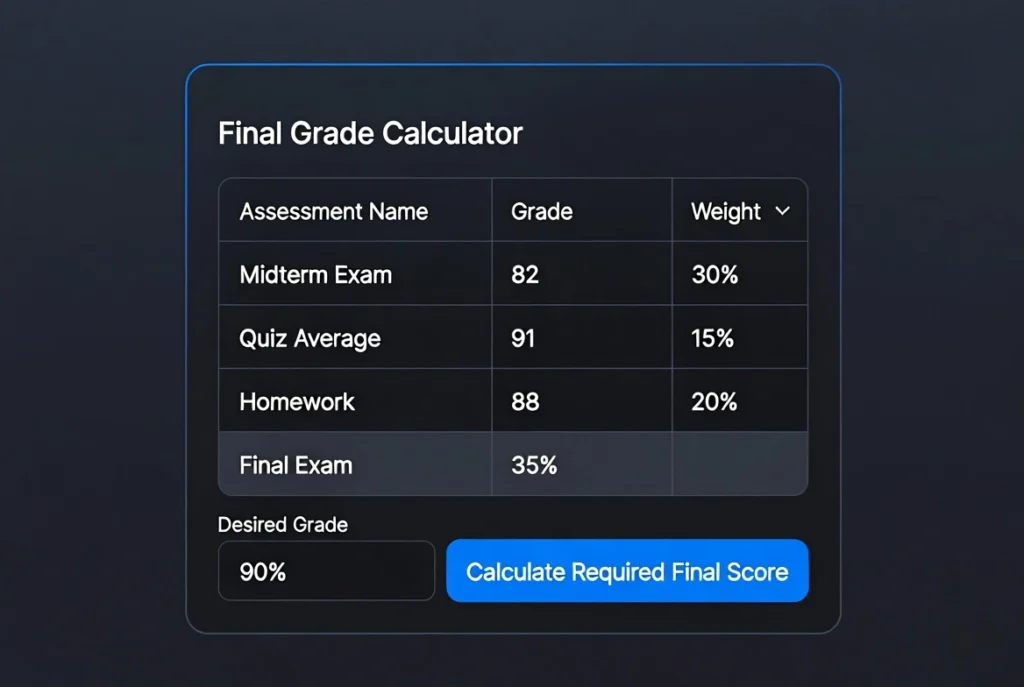
- Add Your Current Grades Click “+ Add Another Item” and enter:
- Assignment name (Midterm, Quiz, Project, etc.)
- Your score in percentage
- Weight of that item toward the final grade
- Enter Final Exam Details
- Final Exam Weight (%) — usually 20% to 50%
- Desired Overall Grade (%) — e.g., 90 for an A
- Click “Calculate Required Final Score.” Get instant results, including
- Current average
- Required final score
- Maximum achievable grade
- Helpful status message (green = achievable, red = impossible)
- Review the Chart See a clear visual of how current grades and the final combine to reach your goal.
Pro Tip: Click “Calculate Current Average” anytime to check your progress before adding final exam details.
Benefits of Using the Final Grade Calculator
- Stress-Free Planning — Know exactly what you need instead of worrying.
- Strategic Studying — Focus your effort where it matters most.
- Explore Multiple Scenarios — Effortlessly test various desired grades or final weights.
- Accurate Weighted Math — Handles any combination of assignments and weights.
- Visual Insights — Bar chart makes it easy to understand your grade composition.
- Completely Free— No sign-up, no ads, works on mobile and desktop.
Students report making smarter study decisions and reducing last-minute panic.
Pros and Cons of Final Grade Planning
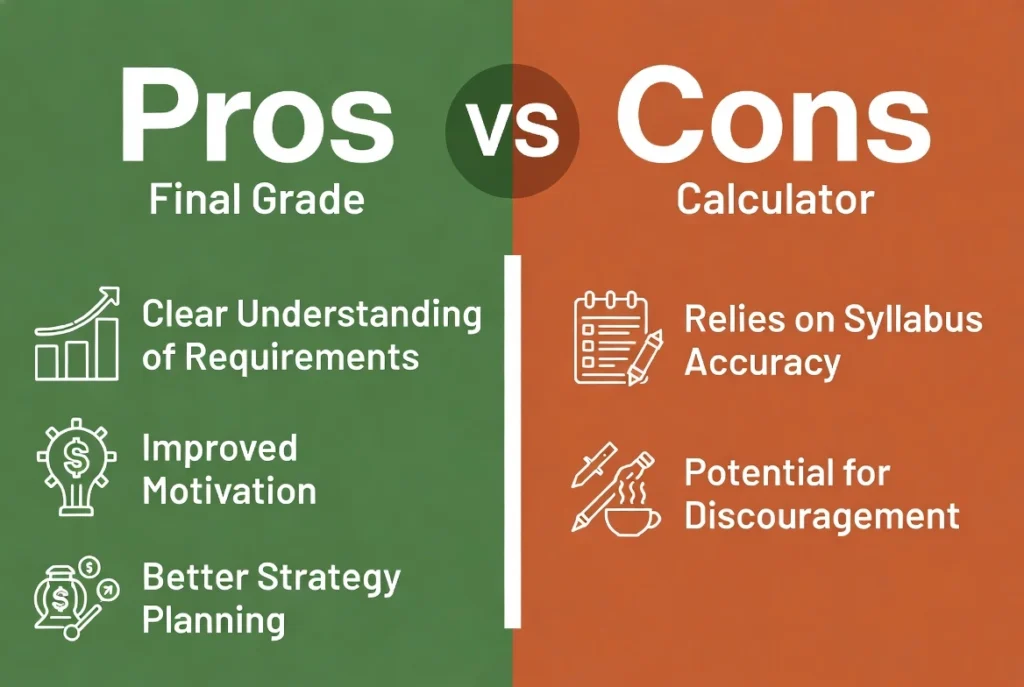
Pros
- Gives clear targets and motivation
- Helps prioritize study time effectively
- Reduces anxiety by turning unknowns into numbers
- Supports better time management during finals week
- Encourages realistic goal setting
Cons
- Requires accurate weights from your syllabus (sometimes hard to find)
- Doesn’t account for extra credit or curving
- Can feel discouraging if the required score is very high
- Over-reliance might reduce consistent effort throughout the semester
Bottom line: This calculator is a powerful ally when used alongside steady work and good study habits.
Real-World Example
Let’s say you have:
- Midterm Exam: 82% (30% weight)
- Quiz Average: 91% (15% weight)
- Homework: 88% (20% weight)
- Final Exam Weight: 35%
- Desired Grade: 90%
Results from the calculator:
- Current Weighted Average: 87.4%
- Required Score on Final: 96.2%
- Maximum Possible Grade: 93.1%
You now know exactly how hard to study for that final.
Try different desired grades (85%, 90%, 95%) to create your personal study strategy.
Tips to Maximize Your Final Grade
- Check your syllabus carefully for exact weights.
- Use the calculator multiple times as you complete more assignments.
- Aim slightly higher than your target to create a safety buffer.
- Combine with a study schedule — consistent effort beats cramming.
- If the required score looks impossible, consider talking to your professor about extra credit or adjustments.
Ready to Take Control of Your Grades?
The Final Grade Calculator gives you the clarity and confidence you need during exam season.
✅ Instant results ✅ Unlimited grade entries ✅ Beautiful visuals ✅ Works on any device
Try the Final Grade Calculator now — completely free.
(Insert your actual calculator link or embed code here)
Have feedback or want new features like GPA conversion or letter grade support? Leave a comment below!
Good luck with your finals — you’ve got this!