⚡ Subnet Calculator Pro
How to Use the Subnet Calculator: Master IP Addressing, Subnetting & Network Planning
Subnetting is a fundamental skill for network administrators, IT professionals, cybersecurity experts, and students. Whether you’re designing a network, troubleshooting connectivity, preparing for certifications (CCNA, CompTIA), or optimizing IP allocation, understanding subnets is essential.
Our free Subnet Calculator makes complex calculations instant and accurate.
What Is Subnetting and Why Does It Matter?
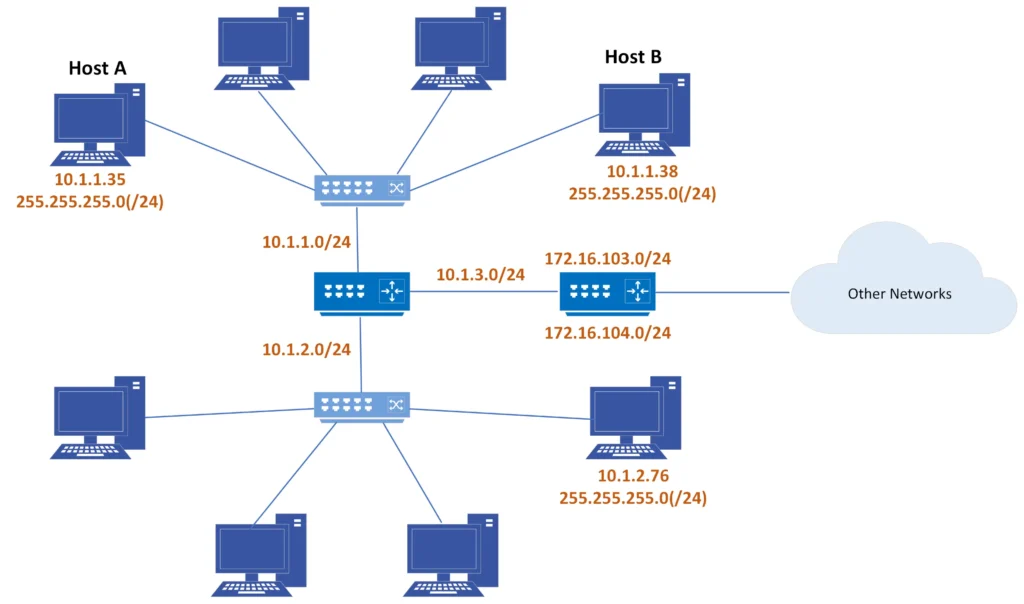
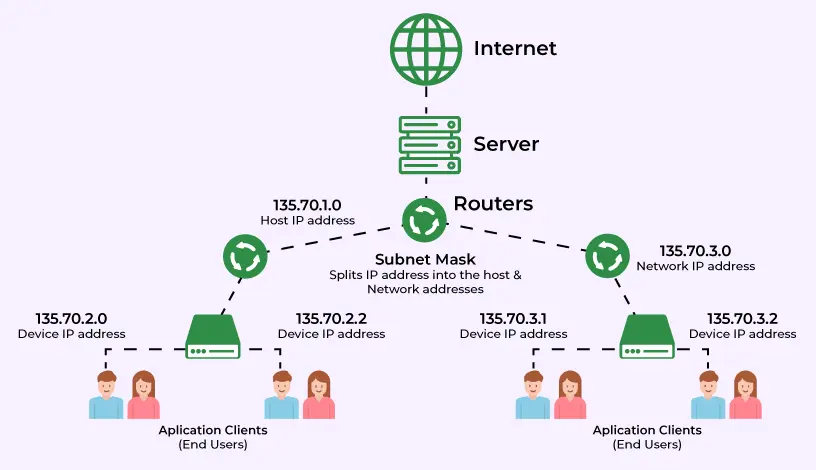
Subnetting divides a large IP network into smaller, more manageable subnetworks. This improves security, reduces broadcast traffic, and helps with efficient IP address allocation.
Key concepts the tool covers:
- Network Address
- Broadcast Address
- Subnet Mask & Wildcard Mask
- Usable IP Range
- Number of Hosts
Step-by-Step Guide: How to Use the Subnet Calculator
Step 1: Enter the IP Address. Type any valid IPv4 address. Common examples:
- 192.168.1.0 (private network)
- 10.0.0.0 (Class A)
- 172.16.0.0 (Class B)
Step 2: Set the CIDR prefix. Enter the subnet mask length (0–32). Examples:
- /24 → 255.255.255.0 (very common)
- /16 → Class B default
- /28 → Small subnet (16 addresses)
Step 3: Click “Calculate Subnet.” Instant results appear with all critical information.
Understanding the Results
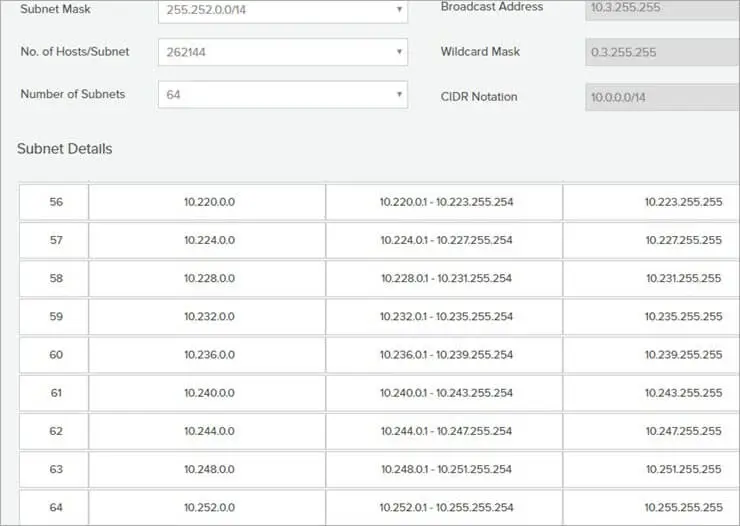
Here’s what each value means:
- Network Address — Base address of the subnet (all host bits = 0)
- Subnet Mask—Defines network vs host portion
- Wildcard Mask — Inverse of subnet mask (used in ACLs)
- First & Last Usable IP — Addresses you can assign to devices
- Broadcast Address — For sending to all devices in the subnet
- Usable Hosts — How many devices the subnet can support
Example Calculation IP: 192.168.1.0/24
- Network: 192.168.1.0
- Broadcast: 192.168.1.255
- Usable Hosts: 254
- Usable Range: 192.168.1.1 – 192.168.1.254
Advanced Usage Tips
- Smaller Subnets — Use higher prefix numbers (/27, /28, /30) for point-to-point links.
- VLSM (Variable Length Subnet Masking) — Create subnets of different sizes within the same network for better efficiency.
- Troubleshooting — Quickly find which subnet an IP belongs to.
- Planning — Determine how many subnets you can create from a larger block.
Real-World Scenarios
- Home/Small Office — Use /24 for a typical LAN (up to 254 devices).
- Enterprise Network—Divide into multiple /26 or /27 subnets for departments.
- Cloud & Data Center—Use /28 or smaller for isolated environments.
- Certification Prep — Practice rapid subnet calculations.
Common Questions (FAQs)
What is the difference between CIDR and subnet mask? CIDR (/24) is a shorter way to write the subnet mask (255.255.255.0).
Can I use this for IPv6? The current version focuses on IPv4. IPv6 support is planned for future updates.
How accurate are the results? Extremely accurate — uses standard binary mathematics used by all routers and operating systems.
Is this tool useful for beginners? Yes! The clean interface and instant feedback make it perfect for learning subnetting.
Pro Tips for Better Networking
- Always leave room for growth when choosing subnet sizes.
- Document your IP schemes.
- Use private address ranges (10.0.0.0/8, 172.16.0.0/12, 192.168.0.0/16).
- Combine with tools like ping, traceroute, and Wireshark for full diagnostics.
Conclusion
Mastering subnetting opens doors to better network design, troubleshooting, and career opportunities in IT. Our Subnet Calculator removes the manual math so you can focus on strategy and implementation.
Try the Subnet Calculator now and level up your networking skills today!
Bookmark this tool and share it with your team or classmates. Have questions about a specific calculation? Drop them in the comments below.
Happy subnetting! 🌐